Thursday, November 23, 2017
Chapter 8
Chapter 8 put a great emphasis on the importance of students asking questions and becoming a researcher. By this, I mean that students need to ask questions to further their learning and think in an alternative way and to get the most meaningful questions, students need to explore and do research.
This chapter is important because this idea of researching and forming questions is a skill that is important for children down the road. In college students are required to think critically and participate in research for assignments. In life in general, these skills are also important. For student's later success, these skills need to be introduced and reinforced early on. This chapter goes over many great ideas to get these skills introduced.
The lesson on 'wonder questions' is one of the activities that I found to be a great way to introduce these question building and researching skills to young students. This lesson involves teachers showing students pictures of common, every day things in their community and posing questions that they are wondering about. Students then do the same, working in small groups to come up with questions they are wondering about the photos. Later, students will research these questions to find answers and share them with the class. This to me, seems like an awesome way to get children to begin forming questions, because it shows that there can be great questions about simple things that you normally wouldn't think to ask questions about. It is a great introduction to forming questions, but also research.
Throughout my education, I have had many research assignments. It wasn't until my freshman year of college that I finally got down the skills of researching, even thought I had done many research assignments in high school. I still see students in college struggling to find reliable sources. This is an important concept that I feel isn't introduced properly or early enough. There are so many great ways, that can be enjoyable for students as early as elementary school. These skills need to be continuously expanded on as students get older, so they are prepared for college and later, the professional world.
Monday, November 13, 2017
Chapter 7

Chapter 7 focused on using digital writing to help students
with their writing process. There are many different ways that teaching writing
using digital writing is beneficial, such as using online webs and using
digital mentor texts. The strategy that I wanted to focus on was the use of
blogs as response journals, and embedding media into blogs. This is relevant to
me right now because this class was the first time I ever wrote a blog, so I
thought it would be fun to talk more about them and play around with the
different media features possible.
The text explains how blogs are easy to use, provide opportunity
for commenting on peer’s work, and the ability to provide extra information
using media. One of the easiest and most basic forms of media that can go into a blog are images. I typically always post a picture at the beginning of my blogs as it makes it more interesting and draws reader's eyes to my post. I chose this image above because it demonstrates how a photo makes you want to read somebody's blog and draws a reader in. Another benefit to including images might be that it explains something you discussed in a better, simpler way. For example if you are talk about the water cycle, an image of the water cycle might help explain the information that you discussed, in a simpler way to understand.
A second form of media that can be embedded into blogs are videos. If I am explaining how to make guacamole in my blog, readers might not understand how to peel an avocado the right way, and explaining it using words just might not do it for them. The link is right there, and available for viewing with just a click. Inserting videos into blogs are great, however the text does make a valid point in saying that sometimes it takes away from your blog. Therefore, it is important to make sure it is absolutely necessary, and does not take away from your own work.
The final form of media I will discuss is the use of embedding audio into a blog. Maybe you are analyzing a song, and you want to add the audio of the part of the song you are discussing. This gives readers a better idea of what you are talking about. You may also choose to include audio or podcasts of yourself speaking to clarify something.
These are all great forms of media to include into a blog that the text reviews. I am so happy to learn about all of these great features for my future as a both a student and a teacher.
Book Review

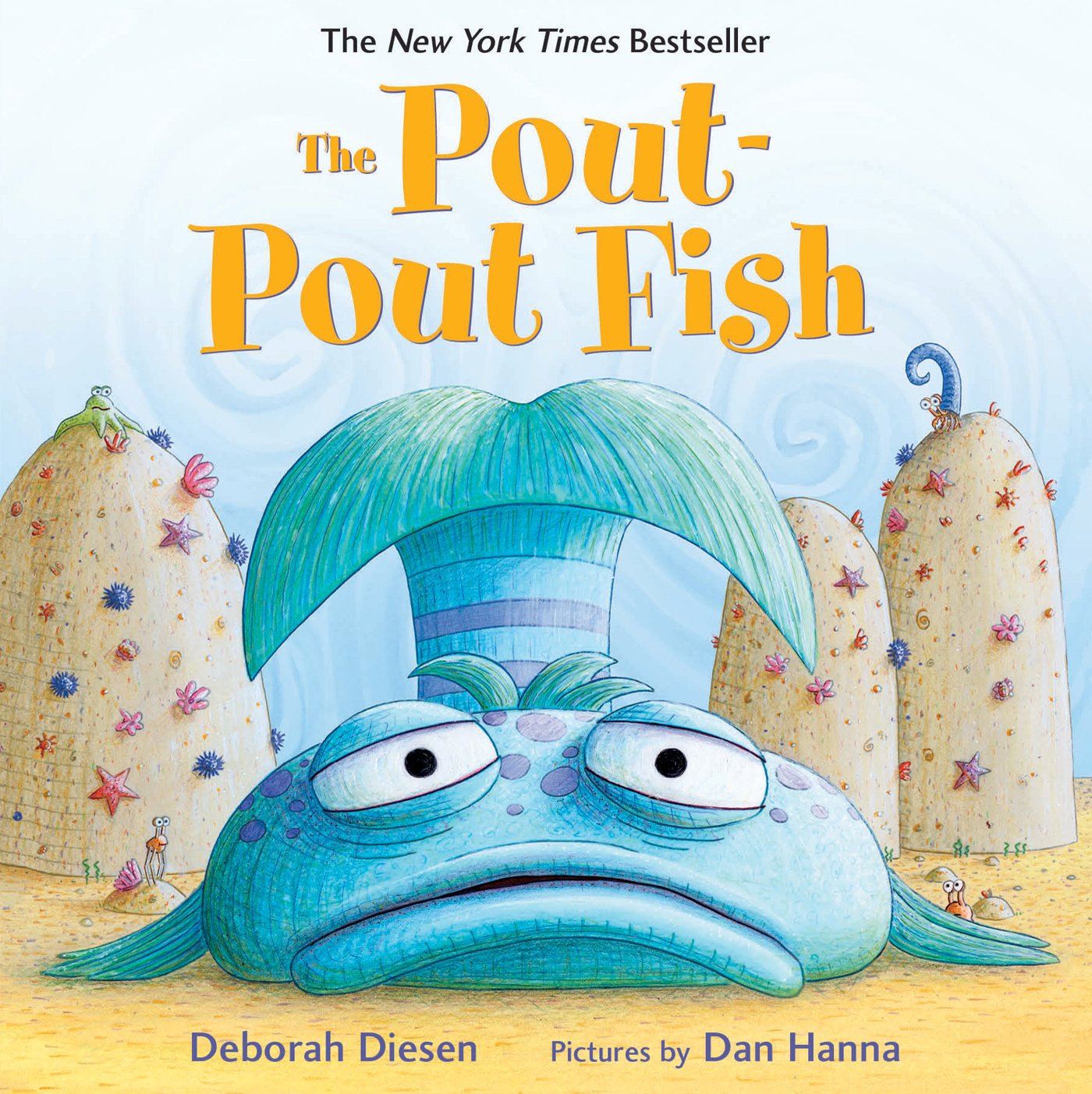
The Pout-Pout Fish by Deborah Diesen is a great read for children exploring their destinies and learning that it is okay to change them. In this story, the Pout-Pout fish encounters many other sea creatures that encourage him to be happy, but he continuously tells them that he was meant to spread "dreary-wearies." This book is an awesome way to promote language development as it uses rhyming, alliteration, and many great vocabulary words that children might not encounter on a day-to-day basis. Read this story with your children or students to see the captivating illustrations and happy ending.
Thursday, November 2, 2017
Chapter 6

Chapter six was about how to scaffold comprehension of
digital literature. Throughout this text we were introduced to many different
ways to build comprehension. Think alouds were encouraged for introducing some
of these comprehension skills. This means that the teacher literally “thinks
out loud” as they are going through the digital text or resource.
Some of the comprehension tools introduced in the chapter were
features that are built right into the text, such as animated illustrations,
online sticky notes, or hyperlinked vocabulary. Other features are online
features, such as Google lit trips and online book reports/reviews. One of the
tools that I found the most fascinating was the virtual author visits.
The authors emphasized the importance of getting to know the
author of literature, and their background to their writing. This made me think
about how important that truly is. When I began researching Mo Willems, for the
module 6 explorations assignment, I learned so much about the books that I read
every single day to the child I babysit. This gave me a whole new look at these
books that I thought I was so familiar with. For children to understand the
author, they are digging deeper into the stories, from the author’s standpoint.
Meeting authors is obviously difficult to do, along with
being costly, so the internet creates this much easier and much more affordable
way to get to know an author. I think this would be important to do several
times throughout the school year, on authors that teachers spend a lot of time
on.
One author I can remember learning a lot about in elementary
school is Dr. Seuss. This is the only author that I can remember learning
about, and it was not as in depth as it could be today with the use of
technology. The things I learned about Dr. Seuss still stick with me today,
which shows how important getting to know an author can be.
Tuesday, October 24, 2017
Chapter 5
Chapter five explored many different e-book resources. Some
of the resources were read alouds (stories read out loud while showing motion
pictures of the illustrations), some were books online available for reading on
your own, and some were online magazines. E-books allow readers to view
hyperlinked resources and videos to help further explain information, highlight
important text, and get definitions for unfamiliar words.
This chapter was very relevant to myself because, believe it
or not, I just got my first e-textbook this semester and it was for this class.
It blew my mind as soon as I began this course that my first e-textbook was for
this class, which focuses on technology and even has a whole chapter on
e-books! I was very wary of getting an e-textbook and had always ignored the
offers that were constantly given to me when I would go to rent my textbooks
each semester, but I finally went for it. I was nervous as to how it would go,
but luckily, I chose the right class to try it out in. For myself highlighting
is the best way for me to understand and interact with the text. I have never
been able to highlight throughout my college experience because I rent my textbooks.
My absolute favorite part about this e-textbook is that it allows me to
highlight, in many different colors, making it easier to go back for
information and helping me understand important points. Something as simple as
this really transformed my reading experience, so I can only imagine how it can
change the reading experiences of students with all of the many different
features that e-books today have. This class, and this chapter in particular,
has opened my eyes so much to the positive uses of all of these online
resources. A few months ago, I would not have thought to use e-books in my
classroom and introduce them to students. Today, I am excited to explore new
ways to incorporate them into my future classroom!
Tuesday, October 10, 2017
Chapter 4
Chapter 4 is about increasing student’s vocabulary and
fluency using web resources. There were two big IRT lessons that were
introduced: Read Aloud, one for younger children and one for older children. In
the lesson for the younger children, new vocabulary is introduced by selecting
a picture book, selecting words that are important to emphasize and then
showing a video to help students understand the word better. Instead of just
reading a story and doing an activity, this includes videos to help show the
students what the word means. I personally thought this was a great idea, as
visuals often help many students, especially as children growing up around
technology. The part that interested me though was the Read Aloud lesson for
older children. In this lesson, teachers select a learning resource to read
aloud, rather than a picture book, and highlights important vocabulary. Next,
teachers choose and model a multimedia resource for students to use to help
learn the vocabulary words. Reading this section took me back to learning
vocabulary when I was in elementary school, which lead me to focus on two
different aspects.
First, this section discussed choosing online resources to
introduce to the class, and made a point that children aren’t typically
involved in reading about news. When I was in elementary school we used to get
TIME for kids magazines, and I remember it was what I dreaded most about
Fridays. This was always boring and just not interesting to me, or anybody else
in the class. Looking back, I understand why these were important, but they
were just not given to us in a way that made us interested in what they had to
say. This section in chapter 4 listed all sorts of online news sites directed
at children. This is one of those times where I feel technology really is
beneficial in the classroom. Children are interested in using technology, and
by reading news online there are other links and videos that are probably more
interesting to children than just reading from a magazine. This is a great way
to get children on board with reading about the news, and also about learning
new vocabulary.
The next part that had me thinking was about how
incorporating multimedia into learning these dreaded vocabulary terms really
helps get them into your memory. Another thing I could not stand was learning
vocabulary words. I remember the small, orange vocab books we used to get that
listed 20 words a week that we had to plug into sentences and memorize for the
quiz on Friday..just to forget the definition minutes after the test went away.
If there was some more interaction with the words, and more visuals to help
better understand the words, I think I would have taken A LOT more away from
vocabulary classes. Fortunately, for children today they have this opportunity.
This chapter changed a way to integrate two of my least favorite parts about
school, into a much more fun, interactive and interesting way to learn
vocabulary and keep up on the latest news. Technology just keeps looking better
and better to me!
Monday, September 25, 2017
Chapter 3
Chapter 3 was called “Creating Classroom Community and
Connecting with Families.” The chapter wasn’t the average description of building
a classroom community and family involvement, instead this chapter described
different activities that can be done using technology. This was an interesting
approach, as I have never heard of the many different ideas in this chapter. This
chapter had two great examples which both creates the classroom community and
gives the families a chance to be involved.
For me, the part that I want to
speak to is how the family is involved in these projects. Creating projects
online allows parents and families to go in and view a child’s work. This makes
the family feel welcome and engaged in their child’s education. However, the part
about this that I find to be one of the best aspects is that family can go in and
view these projects and it’s different than just receiving complete papers in
their child’s folder. As I have most likely mentioned, I am a nanny for a
single mother of three children. Two of the children are twins and just started
kindergarten. The papers the children come home with are ridiculous. There are
at least 5-10 pages of completed work in each child’s folder every day. This is
super overwhelming for the mother to receive every day and at the end of a long
school day and completing homework, the boys don’t really care to explain what
they did on all of these papers with their mom. The kids have been in school
for about 3 and a half weeks now and the stack of papers is getting very high.
Of course as a parent you can’t help but feel guilty recycling all of your kindergartner's
precious school work, but the stack of papers gets crazy and just creates a
mess. These papers are so overwhelming
that they end up being meaningless and just get thrown into the messy stack.
But, creating projects online allows the parents to go in and view it, where
they can hear the teacher’s introduction on the project and hear their child
talk about it. How awesome is this! No cluttered papers, and an interactive,
more meaningful experience to view your child’s work. The parents can go in and
comment on their children’s work, where the child can then be excited to go to
school and see their personalized message from their families. Parents can also
include children in viewing their work, where they can talk about it together,
and the families have more of an idea of the meaning behind the projects and
know what to ask the child about it.
This is much more meaningful than just receiving
papers and projects in a child’s backpack at the end of each day. I have never
thought to use technology in such a way as this chapter described, to promote
classroom community and family involvement. I am glad that I was introduced to
this, as I can now use this in my future classroom and prevent families from
messy, cluttered piles of school work!
Subscribe to:
Posts (Atom)